> For the complete documentation index, see [llms.txt](https://eavio.gitbook.io/eavio-club/llms.txt). Markdown versions of documentation pages are available by appending `.md` to page URLs; this page is available as [Markdown](https://eavio.gitbook.io/eavio-club/functionalities/exams.md).
# Exams
Create, assign, and assess online exams.
Exams in eAvio enable aviation organizations—such as flight clubs, training centers, and aero-tour operators—to create, assign, and assess online exams for their members.
In general aviation, recurring knowledge checks (e.g. limitations of aircraft and airports, instrument checklists, airspace rules) are mandatory in many jurisdictions. For example:
* In Europe under **EASA Part‑FCL**, pilots must undergo **annual or recurrent proficiency assessments**, including instrument and operational knowledge updates.
* In the **U.S.**, Part 61 flight reviews are required every 24 months, and remote drone operators must take recurrent knowledge tests every two years to maintain certification.
By using the Exams module you eliminate paper-based grading, reduce manual overhead, and store all results securely and digitally—accessible anytime for audits or compliance reporting.
***
## 📘 At a Glance
Exams in eAvio are designed to support flexible training workflows:
* Create exams with **images, video links, or grouped visual questions**
* Attach exams to **licenses, aircraft sections/types, or specific users**
* Set up automatic **notifications** for:
* Overdue exams
* Exam pass/fail status reports
Only users granted the **“create/edit exam” role** can manage exams, ensuring secure delegation.
***
## 1. Creating an Exam
Only users with the **appropriate role** can create exams.
**Steps**:
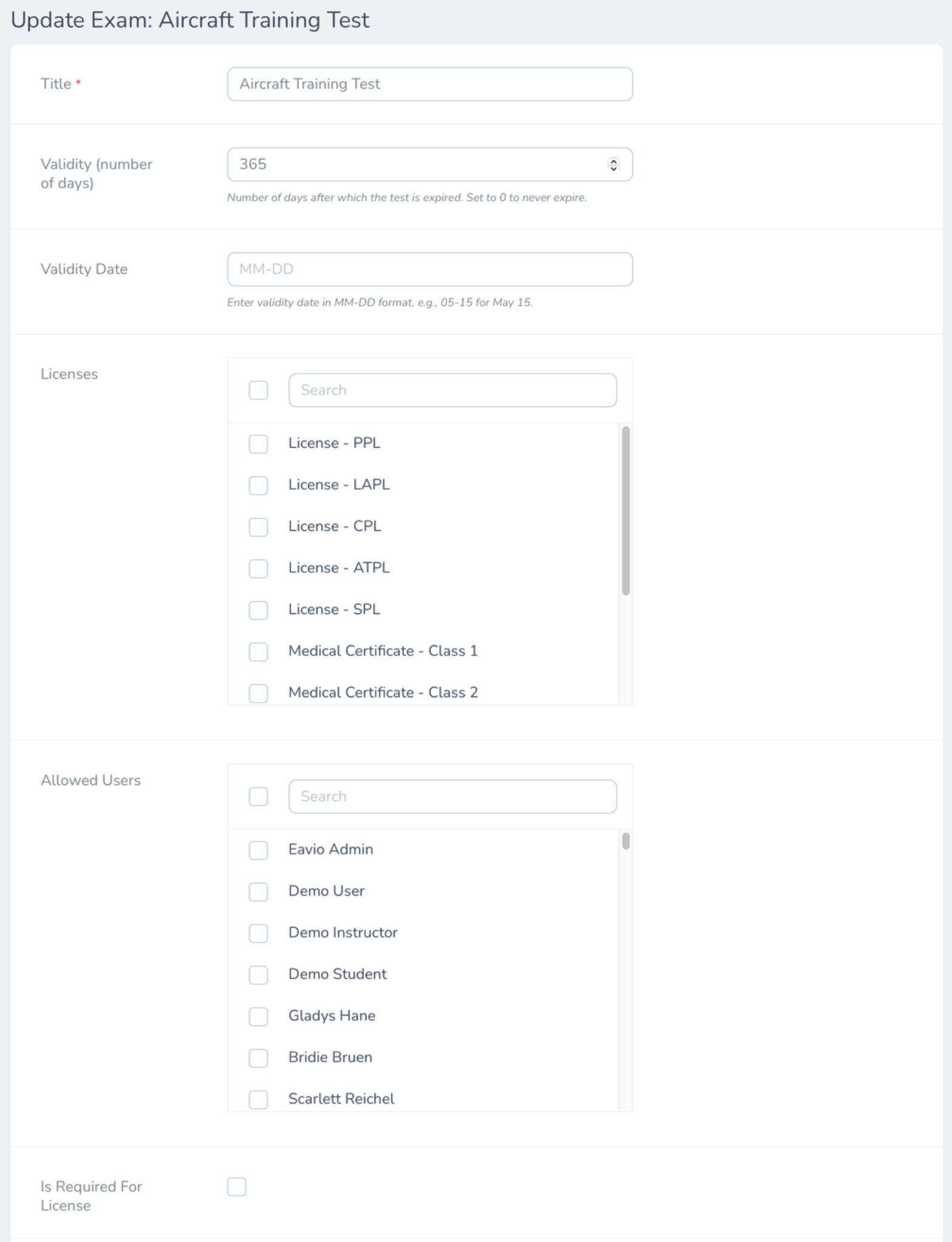
1. Navigate: **Control Panel → Exams → Create Exam**
2. Enter:
* **Title and description**
* **Validity period** (in days or no expiration)
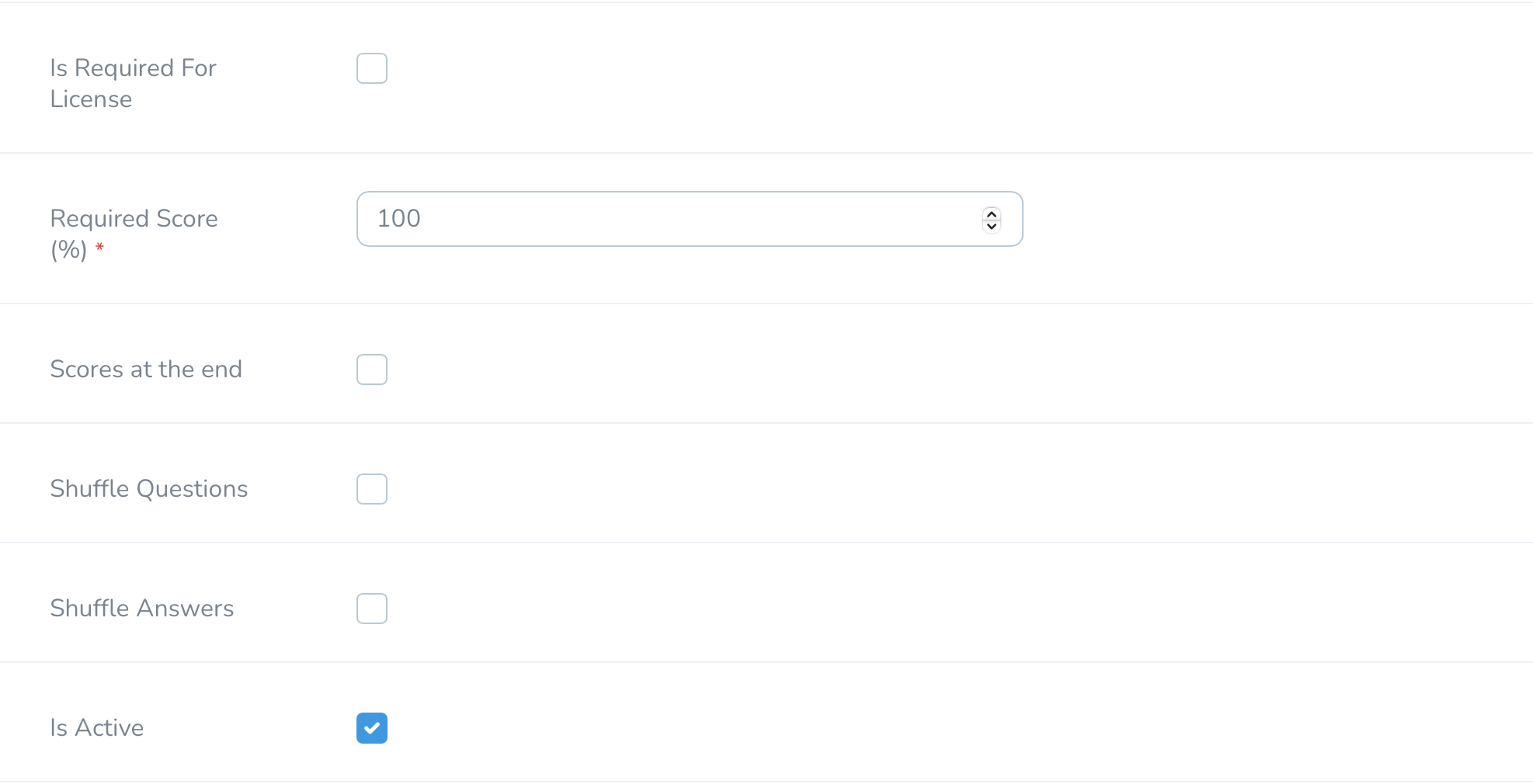
* **Required score**
* **Assign the exam to**: licenses, sections/types, or specific users
* Optional flags:
* Required for license validity
* Shuffle questions or answers
* Show scores per question or only at the end
3. Save or **start adding questions immediately**.
🔔 **Notice**: Link to licenses that require recurrent knowledge checks—like PPL—so failure to pass the exam automatically suspends license validity.
Exam settings
Exam settings
***
## 2. Adding Questions & Media
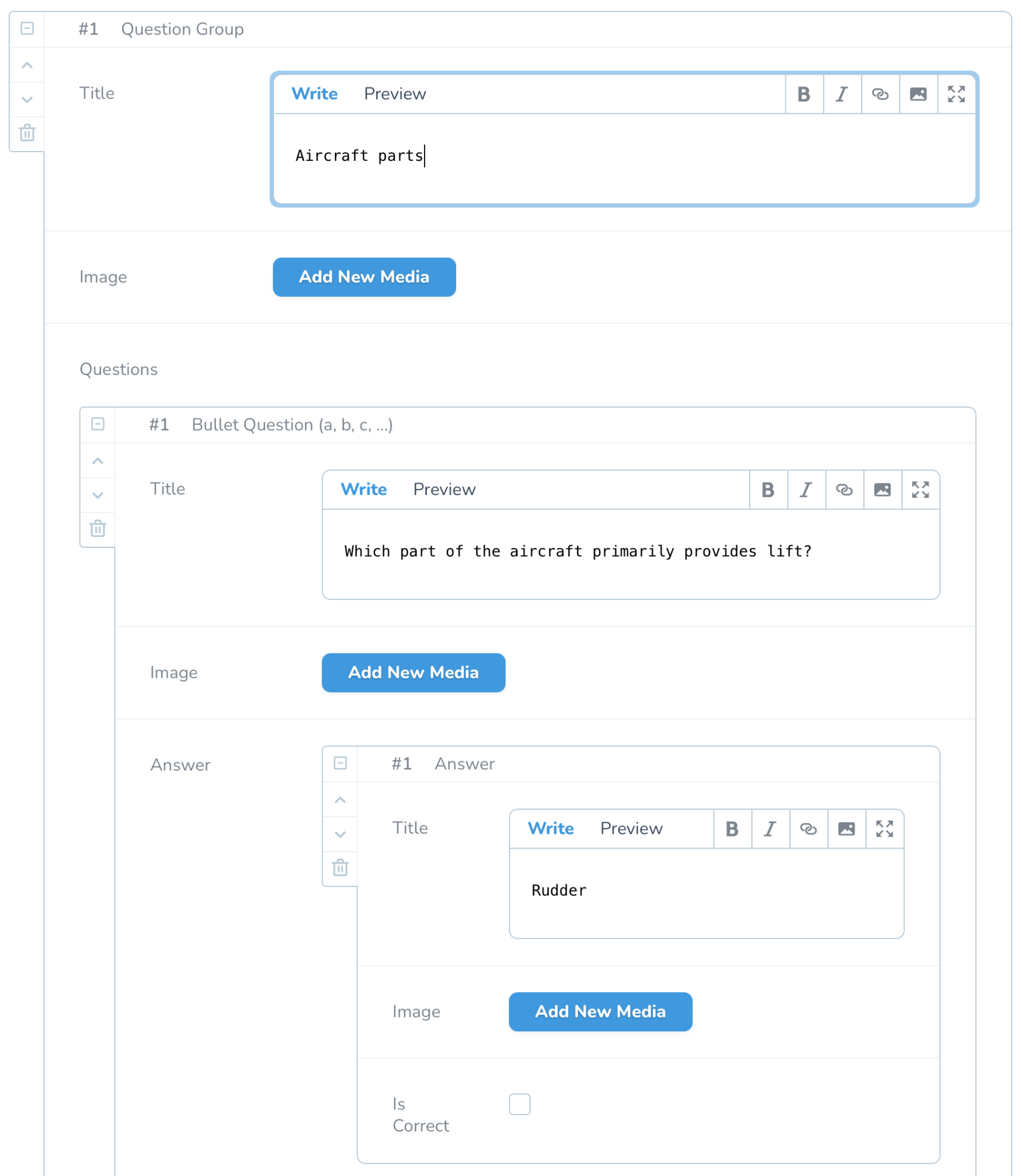
Admins can group questions and attach media across all items.
* **Groups** can have a title, image or video, and contain multiple questions.
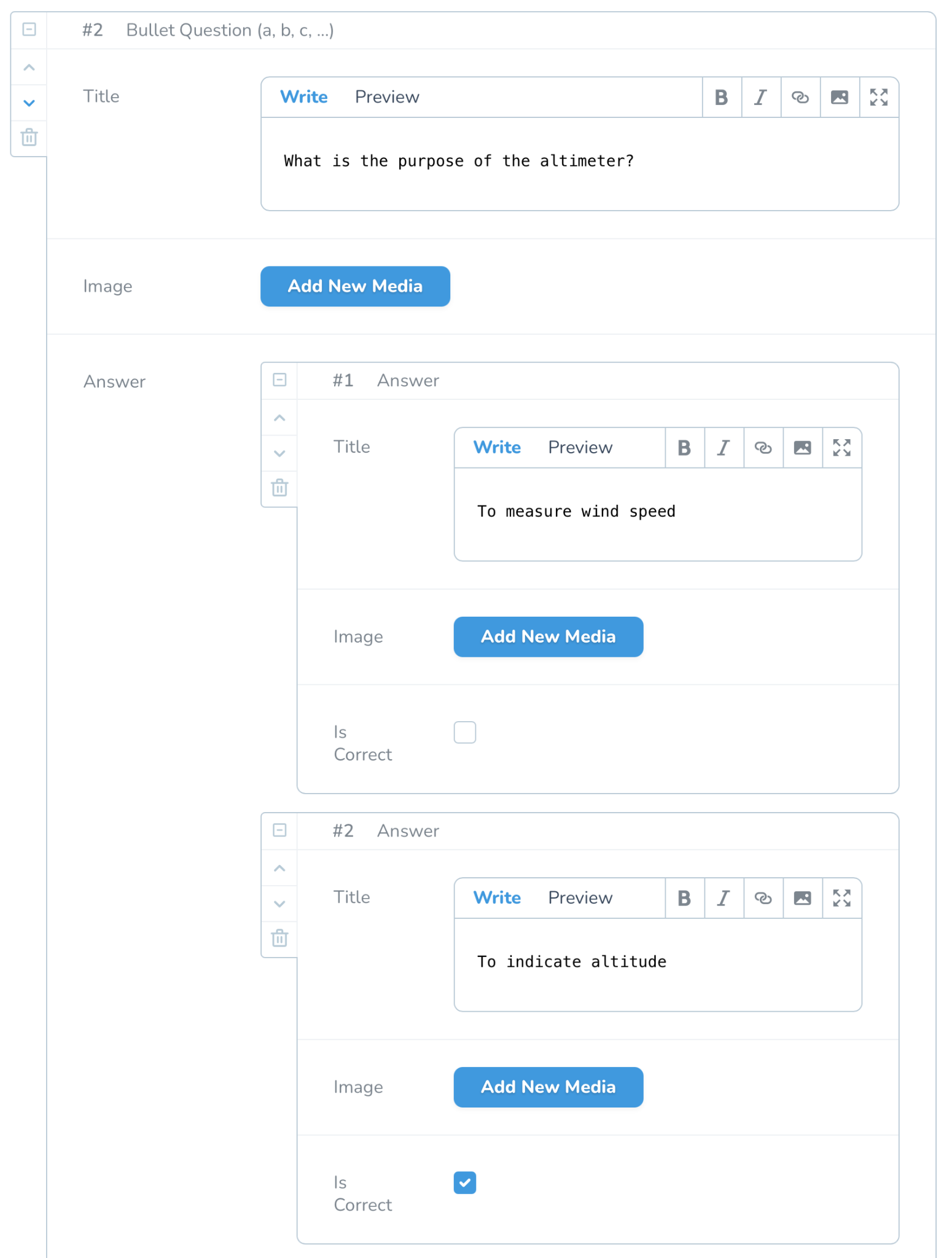
* Each question supports:
* **Single-choice (ABC)**, **multiple-choice (checkbox)**, or **free-text answer**
* Attach **images or video links** per question
* Provide **answer options** with "Is Correct" flags
You can build fully visual or media-rich quizzes.
Add questions panel
Add questions panel
***
## 3. AI‑Driven Evaluation of Free‑Text Answers
When creating free-text questions:
* Define the **expected answer**.
* eAvio uses **AI evaluation** to check user responses, accepting flexible formats:
* `100kg`, `100 kg`, or even different capitalization will pass recognition.
* This ensures fair grading for numeric, text, or mixed answers.
***
## 4. Assigning Exams & Notifications
Each exam is assigned once via:
* **License** (e.g. PPL, sailplane)
* **Section or aircraft type** (e.g. ultralight only)
* **Specific users** (e.g. demo group only)
Exam results are tied to license validity when flagged as required.
🔔 Automatic notifications:
* Remind members of **overdue exams**
* Inform them when an exam is **passed or failed**
***
## 5. Member Experience: Taking Exams (on Mobile/Front‑end)
When the club or operator enables the Exams module:
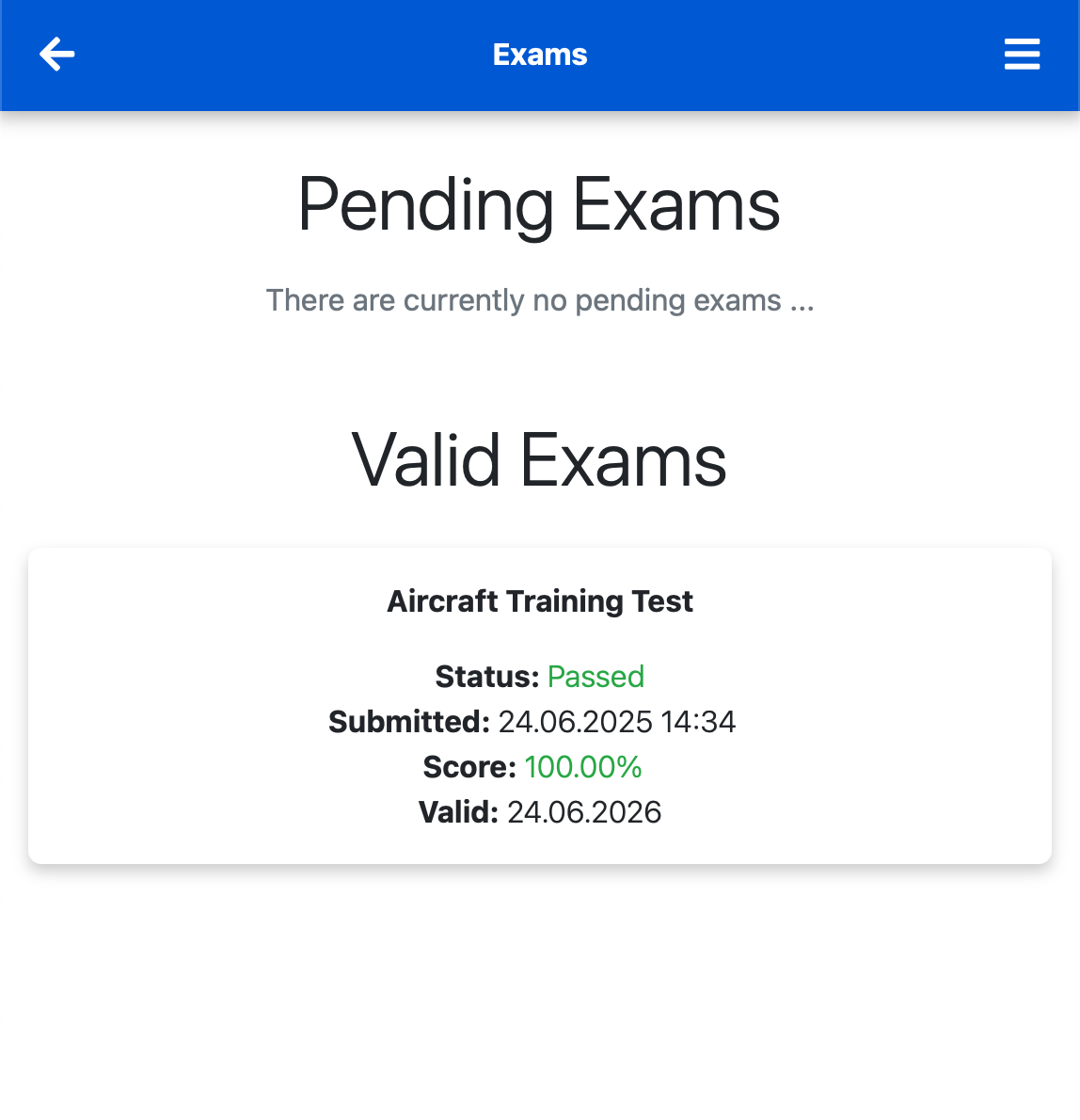
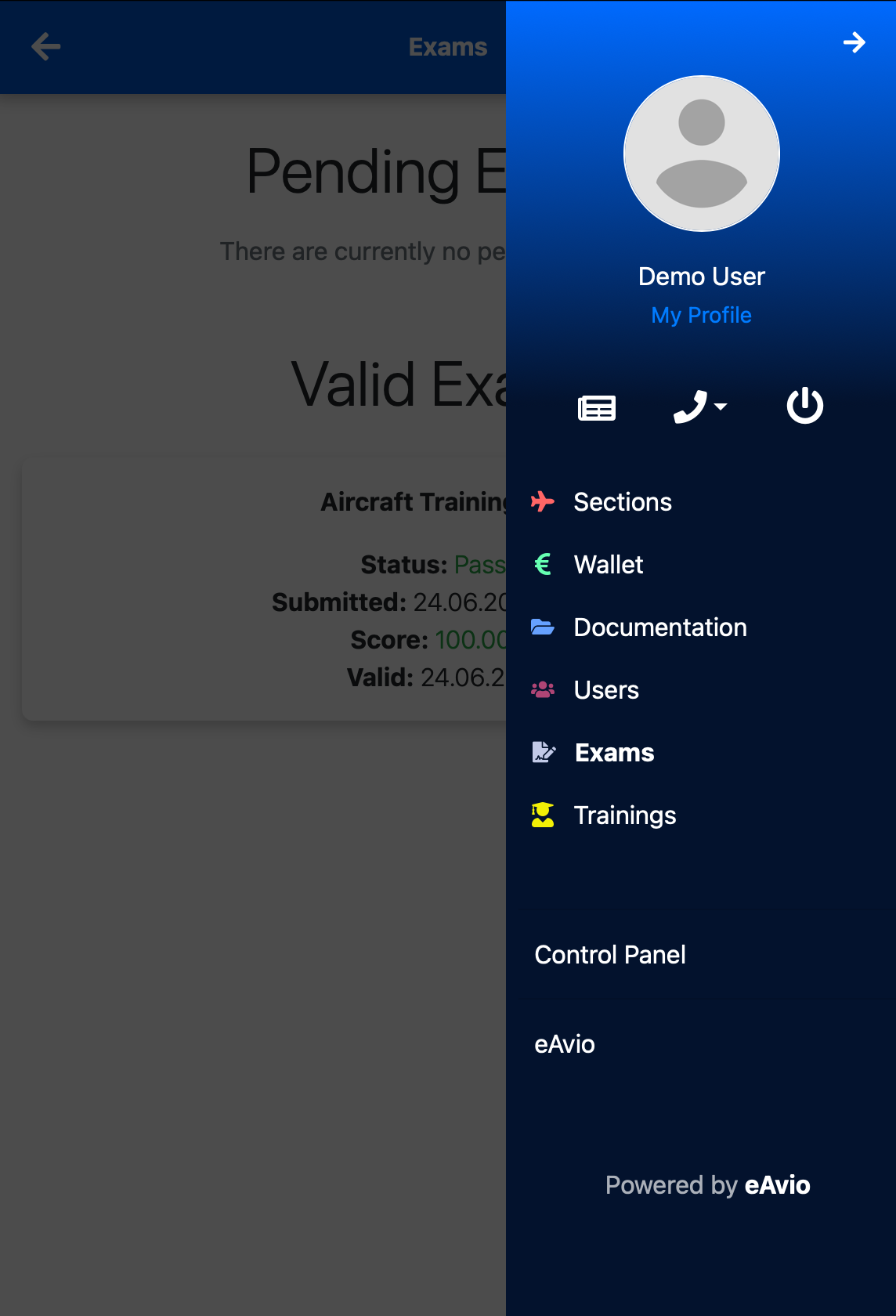
* Members see an **Exams menu** in the mobile/desktop interface.
* They can view **pending exams** and **valid exams**.
* Pending: not yet completed or expired
* Valid: passed and within the validity period
Depending on settings, feedback is shown immediately per question or only after finishing the exam.
Exam menu overview
Exam item in menu
***
## 6. Viewing Results & Tracking Compliance
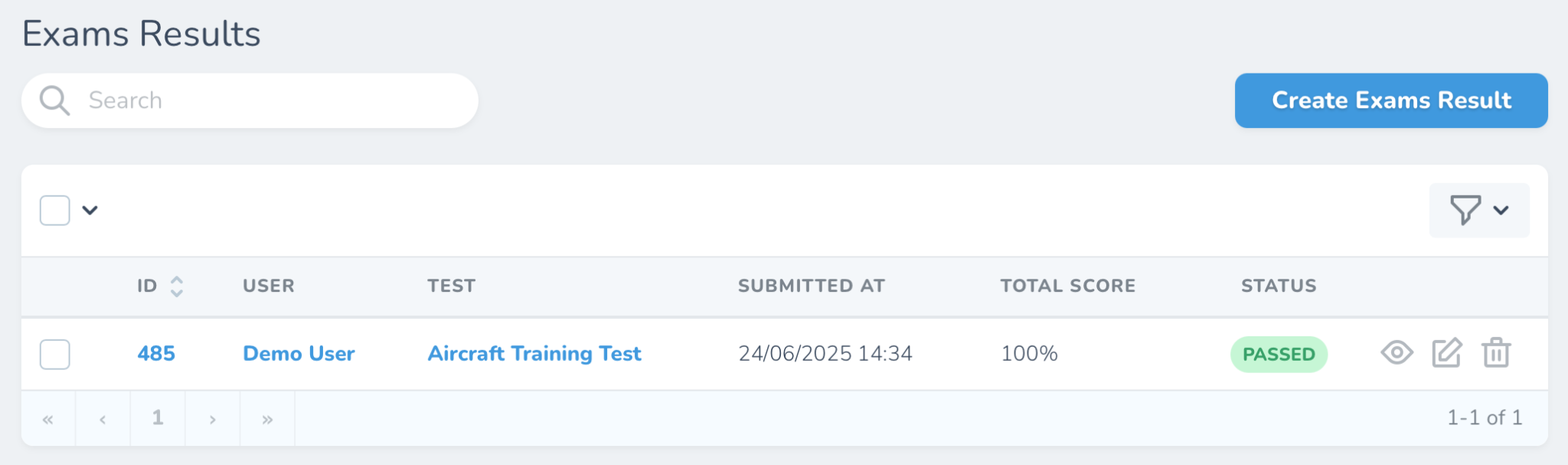
Authorized users can access the **Exams Results panel**:
* View each submission’s:
* Date/time, score (%), pass/fail status, and validity expiry
* Regrade or reassign as needed
* All results are **persistently stored** for auditing purposes
Exam notifications
***
## ✅ Summary of Key Features
| Feature | Benefit |
| ----------------------------------------- | -------------------------------- |
| Single-choice, multiple-choice, free-text | Flexible assessment formats |
| Images/video per group or question | Effective visual learning |
| Role-based exam creation | Controlled access |
| Link to licenses, section, or users | Tailored exam assignment |
| AI-supported free-text grading | Flexible and accurate evaluation |
| Smart notifications | Prompt member action |
| Digital snapshot storage | Compliance and audit-ready |